It picks a surprise number and shows it.
Arduino
The brain
Loading part…
random() within a range
Pick random numbers in a range with random() and store in a variable.
A surprise number every time!
The board picks a new number between 1 and 100 again and again — you never know what's next!
Games and apps use surprise numbers so nobody can guess what comes next.
The problem
The same number over and over is boring — we want a fresh surprise each time.
Think of it like
It's like drawing a card from a shuffled deck — you can't guess the next one.
It picks a surprise number and shows it.
Arduino
The brain
Shake up the picker
setup() reads a wobbly pin so each run gives different surprise numbers.
randomSeed(analogRead(0));
Pick a surprise number
pick gets a fresh number each loop, somewhere between minValue and maxValue.
int pick = random(minValue, maxValue + 1);
Show it, then pick again
Show the surprise number, wait a moment, then pick a new one.
Serial.println(pick);
delay(1500);
Then loop back to step 2
Follow these steps in order. Match the wires to the colors shown.
Place Arduino
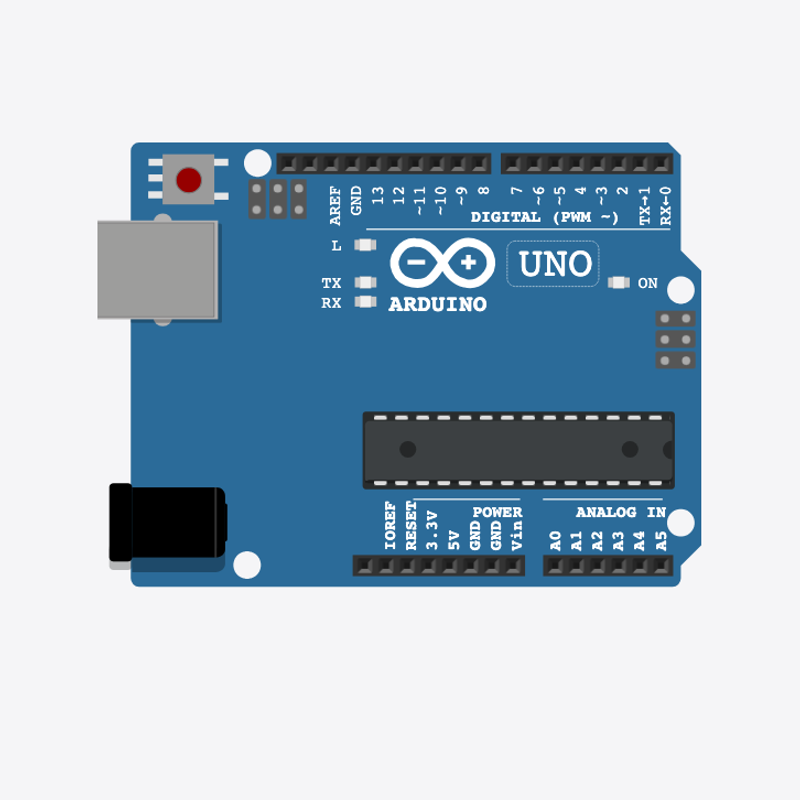
Place the Arduino (uno) on the breadboard.
Arduino placed — ready for surprises!
The range boxes
int minValue = 1;
int maxValue = 100;
minValue and maxValue set the smallest and biggest numbers that can be picked.
Shake it up in setup()
  Serial.begin(9600);
  randomSeed(analogRead(0));
  Serial.println("Random generator 1–100");
}
randomSeed() makes each power-on give a different set of numbers.
Pick and show
  Serial.print("Random: ");
  Serial.println(pick);
  delay(1500);
}
loop() picks a number, shows Random: N, waits, and picks again.
int minValue = 1;
int maxValue = 100;
void setup() {
  Serial.begin(9600);
  randomSeed(analogRead(0));
  Serial.println("Random generator 1–100");
}
void loop() {
  int pick = random(minValue, maxValue + 1);
  Serial.print("Random: ");
  Serial.println(pick);
  delay(1500);
}
Q1. What is a variable?
Q2. Why call randomSeed(analogRead(0)) in setup()?
Pick smaller numbers — change int maxValue = 100 to int maxValue = 50.
Hint: Line 2.
Show new numbers faster — change delay(1500) to delay(800).
Hint: Line 12 in loop().
A line-by-line tour of the sketch — the same steps as in Robot Gurukul Studio.
Program overview
Big idea
Every Arduino program has a top part, a setup() part that runs once, and a loop() part that runs again and again.
In this project
The board picks a surprise number between 1 and 100 and shows a new one over and over.
Tip
Read from the top to the bottom. Tap any word or line if you need help!
int minValue = 1;
int maxValue = 100;
setup()
Big idea
setup() runs one time when the board turns on.
In this project
It opens the message screen and shakes up the random picker.
Why here
Things we do only once go inside setup().
void setup() {
  Serial.begin(9600);
  randomSeed(analogRead(0));
  Serial.println("Random generator 1–100");
}
loop()
Big idea
loop() runs again and again, forever.
In this project
This is where a new surprise number is picked and shown.
Why here
Things that repeat go inside loop().
void loop() {
  int pick = random(minValue, maxValue + 1);
  Serial.print("Random: ");
  Serial.println(pick);
  delay(1500);
}
Try this: Change a number inside loop(), then press Run to see what happens.
analogRead
Big idea
analogRead reads a number from a pin, from 0 up to 1023.
In this project
It reads a wobbly, empty pin to help pick a different starting point each time.
Why here
It goes in setup() to shake up the random picker.
randomSeed(analogRead(0));
delay
Big idea
delay means wait. Nothing else happens while it waits.
In this project
It waits a moment between each surprise number.
Why here
Right after we show a number.
delay(1500);
random
Big idea
random() picks a number between two values, like rolling a special dice.
In this project
It picks a number from minValue up to maxValue.
Why here
In loop() so we get a different number each time.
int pick = random(minValue, maxValue + 1);
begin
Big idea
Serial.begin opens a message screen so the board can talk to the computer.
In this project
It lets us print each surprise number.
Why here
It goes in setup() once, before we print anything.
Serial.begin(9600);
Big idea
Serial.print writes words or a number on the screen and stays on the same line.
In this project
It writes "Random: " right before the number.
Why here
In loop() so we can see each pick.
Serial.print("Random: ");println
Big idea
Serial.println writes on the screen and then jumps to a new line.
In this project
It prints a friendly hello when the board turns on.
Why here
So each message gets its own line.
Serial.println("Random generator 1–100");