It counts down and shouts Liftoff!
Arduino
The brain
Loading part…
decrement a variable over time
Count down from 10 to 0 using an int variable and Serial output.
10… 9… 8… Liftoff!
A number starts at 10 and counts down second by second — then your rocket blasts off!
Rocket launches, game timers, and oven timers all count down to zero like this.
The problem
We want a number that gets smaller over time until something exciting happens.
Think of it like
It's like counting backwards before a race — 10, 9, 8… then GO!
It counts down and shouts Liftoff!
Arduino
The brain
Show the number
Each loop shows the number that is in secondsLeft right now.
Serial.print("T-minus ");
Serial.println(secondsLeft);Time to blast off?
When the number reaches 0, we shout Liftoff! and stop counting.
if (secondsLeft <= 0) {
  Serial.println("Liftoff!");
}Take away one second
After one real second, the number drops by 1 — then loop() shows it again.
secondsLeft = secondsLeft - 1;
delay(1000);
Then loop back to step 1
Follow these steps in order. Match the wires to the colors shown.
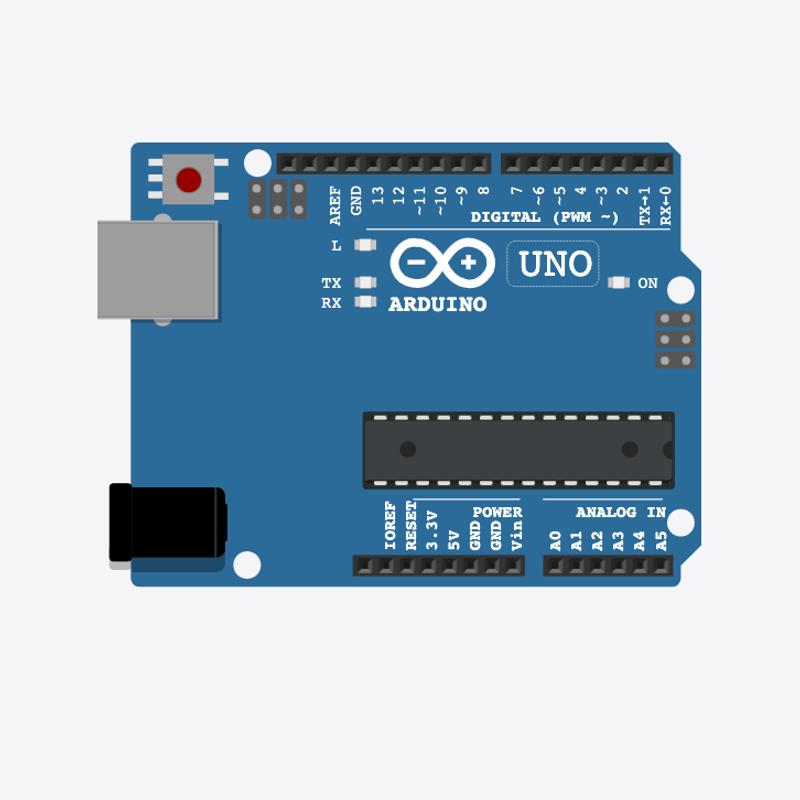
Place Arduino
Place the Arduino (uno) on the breadboard.
Arduino placed — ready for liftoff!
The countdown box
int secondsLeft = 10;
secondsLeft starts at 10 — a box that gets smaller by 1 each second.
Check for liftoff
    while (true) {
      delay(1000);
    }
  }
  secondsLeft = secondsLeft - 1;
When secondsLeft hits 0, the screen shows Liftoff! and then waits.
Take away one second
}
Subtract 1 from the box, then wait one real second.
int secondsLeft = 10;
void setup() {
  Serial.begin(9600);
  Serial.println("Countdown starting...");
}
void loop() {
  Serial.print("T-minus ");
  Serial.println(secondsLeft);
  if (secondsLeft <= 0) {
    Serial.println("Liftoff!");
    while (true) {
      delay(1000);
    }
  }
  secondsLeft = secondsLeft - 1;
  delay(1000);
}
Q1. What is a variable?
Q2. What happens when secondsLeft reaches 0?
Start from 15 — change int secondsLeft = 10 to int secondsLeft = 15.
Hint: Line 1 at the top.
Count down faster — change delay(1000) to delay(500) at the end of loop().
Hint: Line 16.
A line-by-line tour of the sketch — the same steps as in Robot Gurukul Studio.
Program overview
Big idea
Every Arduino program has a top part, a setup() part that runs once, and a loop() part that runs again and again.
In this project
A number starts at 10 and gets smaller by 1 each second, until it reaches 0 and says Liftoff!
Tip
Read from the top to the bottom. Tap any word or line if you need help!
int secondsLeft = 10;
setup()
Big idea
setup() runs one time when the board turns on.
In this project
It opens the message screen and says the countdown is starting.
Why here
Things we do only once go inside setup().
void setup() {
  Serial.begin(9600);
  Serial.println("Countdown starting...");
}
loop()
Big idea
loop() runs again and again, forever.
In this project
This is where the number shrinks, second by second, down to Liftoff!
Why here
Things that repeat go inside loop().
void loop() {
  Serial.print("T-minus ");
  Serial.println(secondsLeft);
  if (secondsLeft <= 0) {
    Serial.println("Liftoff!");
    while (true) {
      delay(1000);
    }
  }
  secondsLeft = secondsLeft - 1;
  delay(1000);
}
Try this: Change a number inside loop(), then press Run to see what happens.
delay
Big idea
delay means wait. Nothing else happens while it waits.
In this project
It waits one whole second between each number.
Why here
Right after we show and lower the number.
delay(1000);
begin
Big idea
Serial.begin opens a message screen so the board can talk to the computer.
In this project
It lets us print the countdown.
Why here
It goes in setup() once, before we print anything.
Serial.begin(9600);
Big idea
Serial.print writes words or a number on the screen and stays on the same line.
In this project
It writes "T-minus " right before the number.
Why here
In loop() so we can see each count.
Serial.print("T-minus ");println
Big idea
Serial.println writes on the screen and then jumps to a new line.
In this project
It prints a friendly hello when the board turns on.
Why here
So each message gets its own line.
Serial.println("Countdown starting...");